Design Self Promotion
Courses and Programs · Case study
The capstone career course. Graduating students leave with a resume, a portfolio, interview practice on record, and career agents they built themselves and keep using after the course ends.
Goal
Send graduating designers into the job market with professional materials they can defend, and with a set of career agents they built themselves that keep working after the course ends. Each student chooses one target job early, a real posting that anchors every assignment and every agent, and leaves with a living professional development plan rather than a finished portfolio alone.
Audience
Graduating Digital Media Arts, Animation, Photography, Graphic Design and Fine Arts students in their final semester, fully online. Most have strong work and little experience presenting it, pricing it or interviewing for it.
Process
Two through-lines run all term: six interview practice exercises that build from classifying question types to recorded answers to two full mock interviews, and resume drafts spaced so each returns with instructor feedback within five days. Assessment is authentic throughout: every graded piece is the student’s own career material, built against the target posting, and the course closes with the student designing, testing and scheduling a career agent. Deliverable options in development with the STEAMworks XR lab include a laser-engraved leather or wood card case or portfolio cover with an NFC tag, an AR business card that opens the reel or portfolio, a VR portfolio room, and supervised drone footage for reels.
The arc of the semester
| Weeks | Module | Signature work |
|---|---|---|
| 1 | Getting Started and AI Primer | Core accounts, a test recording, a Discord introduction; a critiqued Gemini answer, a revised prompt and a first AI-use log row |
| 2 to 4 | Goals, Resume and Cover Letter | A recorded goals statement, the target job, resume drafts, a cover letter, and the first interview practice |
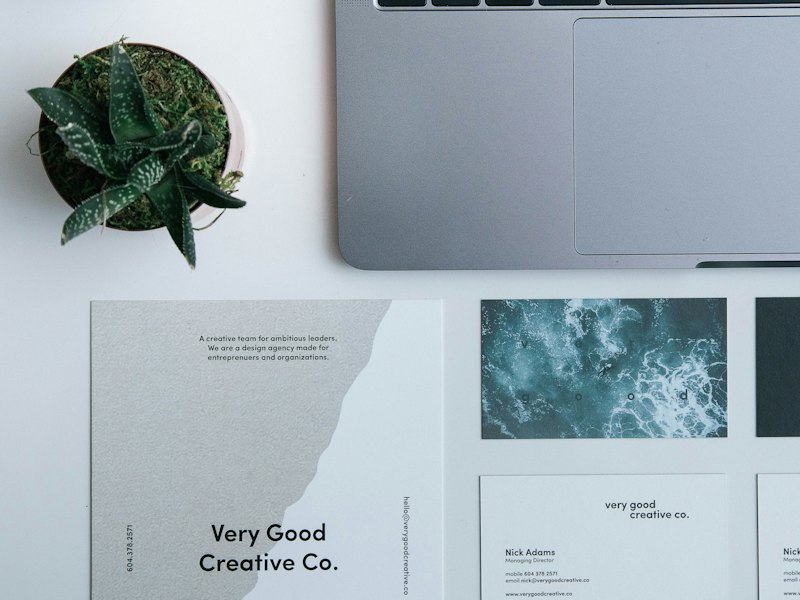
| 5 to 7 | Identity and Self-Presentation | An identity brief, business card, designed resume, leave-behind concept, recorded pitch and copyright case research |
| 8 | Midterm Portfolio | A recorded in-process portfolio presentation and a plan for the second half |
| 9 to 10 | Freelance Business | A spec sheet, a project brief with a contract, and a post-graduation action plan |
| 11 to 12 | Networking and LinkedIn | A professional profile, real connections, a mentor search and a portfolio check-in |
| 13 | Interview Skills | A video interview setup, a recorded mock interview against unseen questions, and an AI mock interview |
| 13 to 15 | Final Package | Final resume, leave-behind, identity package, portfolio and portfolio presentation |
| 14 to 15 | Build Your Career Agent | A job search agent planned on paper, built, tested in three runs and put on a schedule |
Outcomes
Every module objective is written to the revised Bloom’s taxonomy, at or below the competency it supports. The alignment map lists every objective, its level and the assignment that measures it.
| A student can | Where |
|---|---|
| Evaluate personal goals and objectives against market needs | Goals statement, market research, gap reflection |
| Develop a self-marketing plan, including a resume and business card | Resume drafts, identity package |
| Develop a leave-behind | Leave-behind concept and final |
| Use networking skills in the classroom | Mentor search, LinkedIn, peer critique |
| Identify the appropriate markets to target | Target-market research, job posting discussions |
| Identify discussion points for a standard client contract | Freelance project brief, contract, and spec sheet |
| Interview and communicate with clients with professional etiquette | Six interview practice exercises, two mock interviews, portfolio presentation |
| Develop a portfolio for online and printed presentation | Midterm and final portfolio presentations, portfolio check-in |
Pacing and interaction
Ten modules over fifteen weeks and finals, each week 6.5 to 9.25 hours. Two noon deadlines a week, with project steps posted to Discord the day before for peer critique. Optional check-ins are recorded and captioned.
AI in This Course
The course is organized around a career agent system. Every agent works from the student’s target job, and each produces an instructions document the student owns. Students use Gemini only with their Maricopa (Google Workspace for Education) account, under which their data is not reviewed by people, not used to train models and not used for ads. Gemini writes and gives feedback; it never designs, and every mark, layout, color and type decision is the student’s.
The Career Agent System
| Agent | When it is built | What it does |
|---|---|---|
| Career Counselor | The first weeks; runs all semester and after graduation | Builds and maintains the student’s professional development plan: a weekly learning schedule of free courses (Coursera and similar), weekly check-ins and feedback on progress. It takes in the Mock Hiring Panel’s gap list. |
| Mock Hiring Panel | Once the target job is chosen; used at the resume, portfolio and interview stages | Screens the resume and portfolio against the target posting and names what to change, runs the mock interview, and identifies what the student must build to be competitive for this job. That gap list feeds the Career Counselor’s plan. |
| Mentor Finder | With the mentor search in Networking and LinkedIn | Helps the student identify and approach a human mentor. |
| Job Search | Build Your Career Agent | Finds and verifies openings on a schedule, checking each result against the organization’s own page. A fully worked fictional example, Avery’s Animation Job Agent, models every step. |
How students build each agent. Either from a fill-in form taken from Render, the career tool designed for this course (its Career Counselor, Hiring Panel, Interview Panel and Job Search Agent forms are taken apart so students see what each field does), or from a short series of prompts that writes the agent’s instructions. Either way the output is an instructions document the student owns, saved in Gemini as a Gem or skill.
Taking the agents with them. Before graduation, each agent moves from the Maricopa Gemini account to the student’s personal Gemini, so nothing is lost when the school account closes. Each agent’s instructions and knowledge files live in one Google Drive folder the student copies to a personal account and recreates there. The course teaches the privacy difference: the education account’s data is not used to train models, while a personal account’s may be, depending on its settings.
| Tool and feature | What students do with it | Where in the course | What it is not allowed to do |
|---|---|---|---|
| Gemini app, feedback | Clarity and tone feedback on resume and cover letter drafts, with every kept change tracked in Suggesting mode; feedback on the LinkedIn headline and About section | Goals, Resume and Cover Letter; Networking and LinkedIn | Write the first resume draft or the goals statement; receive a phone number, email or street address |
| Gemini app, tailoring | Edit one resume section against a target posting, then compare the original and the edit to show where Gemini helped and where it misrepresented the student | Tailoring With AI discussion | Stand as a first draft submitted unchanged |
| Gemini app, planning and drafting | Draft a week-by-week post-graduation action plan from a student-written prompt; a plain-language contract draft; schedule and timeline drafts | Freelance Business; Identity and Midterm modules | Go unchecked: every date, clause and task is verified, and the student names what Gemini got wrong |
| Gemini Live | Play the hiring manager for the student’s real posting in a spoken mock interview | Interview Skills, AI Mock Interview | Replace the recorded mock interview against unseen questions |
| Gemini skills, scheduled actions and Gemini Canvas | Save the agent’s instructions, run it on a schedule as a digest, or turn results into a one-page dashboard published to Google Sites | Build Your Career Agent, Steps 3 and 4 | Report a result the student’s rules have not checked |
| Gemini Notebook | Work from the student’s own sources | Any step that names it | Hold personal contact details |
How AI Supports Learning Here
- Specification as learning. Writing an agent’s rules file (goal, must-haves, deal-breakers, a rating scale, twenty target organizations in three tiers, a checking rule and a report format) requires the student to articulate a career strategy precisely enough for a machine to follow.
- Test, revise, retest. Students run the agent three times, open every result by hand, and change one rule for each miss, the same iterative evaluation used in professional AI work.
- AI as rehearsal partner. A spoken mock interview with Gemini adds low-stakes, repeatable practice to the human-scored interview series.
- Critical comparison. The tailoring exercise makes students identify where AI editing misrepresents them, building the judgment to use it on their own materials.
- Self-regulated learning beyond the course. The Career Counselor and the hiring panel’s gap list turn the target job into a continuing development plan.
- Verify and revise. The AI Primer in Module 0 has students critique a Gemini answer, including who made the tool and why, then revise the prompt with role, task, context and format and a detail of their own. Every AI use is recorded in an AI-use log row; “No AI used” is a complete entry.
Guardrails
- Account and data. Maricopa account only during the course, under the district’s Gemini for Education terms. Phone numbers, email and street addresses are removed before anything is pasted into Gemini, and agent instructions contain nothing a student would not put on a public resume.
- Authorship. The first resume draft and the goals statement are the student’s own; later AI feedback is tracked and logged. Every fact Gemini supplies is checked against a source the student opens.
- Never AI-made. The identity, leave-behind and portfolio are designed by the student.
- Students under 18 and 16. No grade depends on a restricted feature: typed answers replace Gemini Live, the student searches job boards and library databases in place of Deep Research, and Google Drive replaces YouTube where uploads are blocked. Students under 16 build a professional profile page on Google Sites in place of LinkedIn.
How to Adapt This
- Anchor the course on one real target. A single posting chosen early gives every assignment and every agent a shared, authentic reference point.
- Grade the rules file and the test log. The agent’s output matters less than the specification, the hand-checked results and the documented rule changes.
- Teach portability and privacy together. Have students keep agent instructions in a Drive folder they can carry to a personal account, and explain how the two accounts differ.
Technology
- Canvas: modules, rubrics, grades and submissions.
- Adobe Illustrator, InDesign and Photoshop: the identity package, business card, designed resume and leave-behind.
- Google Sites: the portfolio site, kept in the Maricopa account or, by the student’s choice, moved to a personal Google account so it survives graduation (Gemini stays on the Maricopa account), Restricted by default and public when the student chooses. A student who already has a Behance portfolio may use it instead.
- LinkedIn: the professional profile, connections and endorsements.
- Google Docs, Sheets and Drive: resume drafts in Suggesting mode, the agent rules file, the applied and not-applied tracker, and the portable agent folder.
- Google Calendar: reminders that rerun an agent where scheduled actions are not available.
- OBS Studio, and YouTube (unlisted) or Google Drive: recorded goals, pitches, interview answers and presentations.
- WAVE: checking portfolio and published agent pages.
- Zoom: optional, recorded check-ins.
- Discord: the course channel for questions and critique.
How the Course Was Tested
Before launch, the course went through synthetic student walk-throughs, a quality-rubric review, and an alignment and AI-exposure audit. No real students were involved in testing. Every course in the program goes through the same build and review method.
Synthetic Student Walk-Throughs
The testers are synthetic students: AI agents, each built from one persona in the Student Journey Barriers Study. Each agent worked through the course module by module as that student and logged every point where it got stuck or could not finish. A fixer pass applied the findings, and a second round re-ran all eight agents against the revised course.
| Persona | Tested for | How the course addresses it |
|---|---|---|
| Phone-only student | Whether each step can be completed on a phone | Agent results delivered as phone notifications, and laptop and hotspot loans for design work |
| Screen reader or low vision | Recorder access and image-only evidence | Any recorder that works with the student’s assistive technology, alt text on every Discord image |
| Rural, limited data | Bandwidth and video uploads | Hotspot loans, links rather than files for video, no required campus visits |
| Student with ADHD | Clarity, chunking, competing deadlines | Identical module order, a time budget in each module, the agent built in four short steps |
| Online working parent | Time and schedule flexibility | Asynchronous design, recorded optional check-ins, a 24-hour late window |
| Student under 18 | Restricted features and platform age limits | Typed AI mock interview, Drive in place of YouTube, a Google Sites profile for students under 16 |
| Spanish-dominant student | Reading load and professional vocabulary | A worked example for every agent step, and Career Services resume samples in two formats |
| Student with dyslexia | Text-heavy evidence | Recorded goals, pitches and interview answers as graded evidence, with tracked changes on written drafts |
Quality and Alignment Reviews
The course was revised to a SUNY OSCQR review, and every objective was audited against the revised Bloom’s taxonomy (Anderson and Krathwohl, 2001) so that each sits at or below its parent competency and is measured by a graded item.
Every Assessment Checked for AI Resistance
Every graded assessment was audited for AI exposure with Oregon State University Ecampus’s Bloom’s Taxonomy Revisited, asking whether a student could hand the task to an AI and pass. The design answers are work tied to the student’s own target job, recorded explanation, tracked drafts, peer critique on Discord, the AI-use log, and the rule that Gemini never designs.
| Assessment | What makes it hard to outsource |
|---|---|
| Personal Goals Statement | A recording that explains the student’s goals using two real postings |
| Cover letter | Two details only the student could supply: a project, a result, a client or a decision |
| Tailoring With AI | A side-by-side comparison naming where Gemini misrepresented the student |
| Freelance contract | A reflection naming what Gemini got wrong and what the student fixed |
| Interview practice and mock interviews | Recorded answers, including a full mock interview against unseen questions |
| Career agent, Steps 2 to 4 | A photographed hand brainstorm, a rules file built on the student’s own resume and targets, a three-run test log checked by hand, two scheduled outputs and a recorded presentation |
Accessibility
Designed with Universal Design for Learning to WCAG 2.1 AA, with captioned instructor video, recorded check-ins, and a non-AI path for every AI step. Student work carries hand-corrected captions, corrected transcripts, alt text and tagged PDFs, worth about 10 percent of each media rubric, and portfolio and agent pages are checked with WAVE.
Status
Designed and fully built: ten modules, two through-lines of resume and interview practice, a final career package, the career agent system, and a Canvas import package. Taught every spring and fall.
Course materials are shared under CC BY-NC-SA 4.0: faculty may adapt them with credit, for noncommercial use, under the same license.