Render
Student Success Tools · Case study
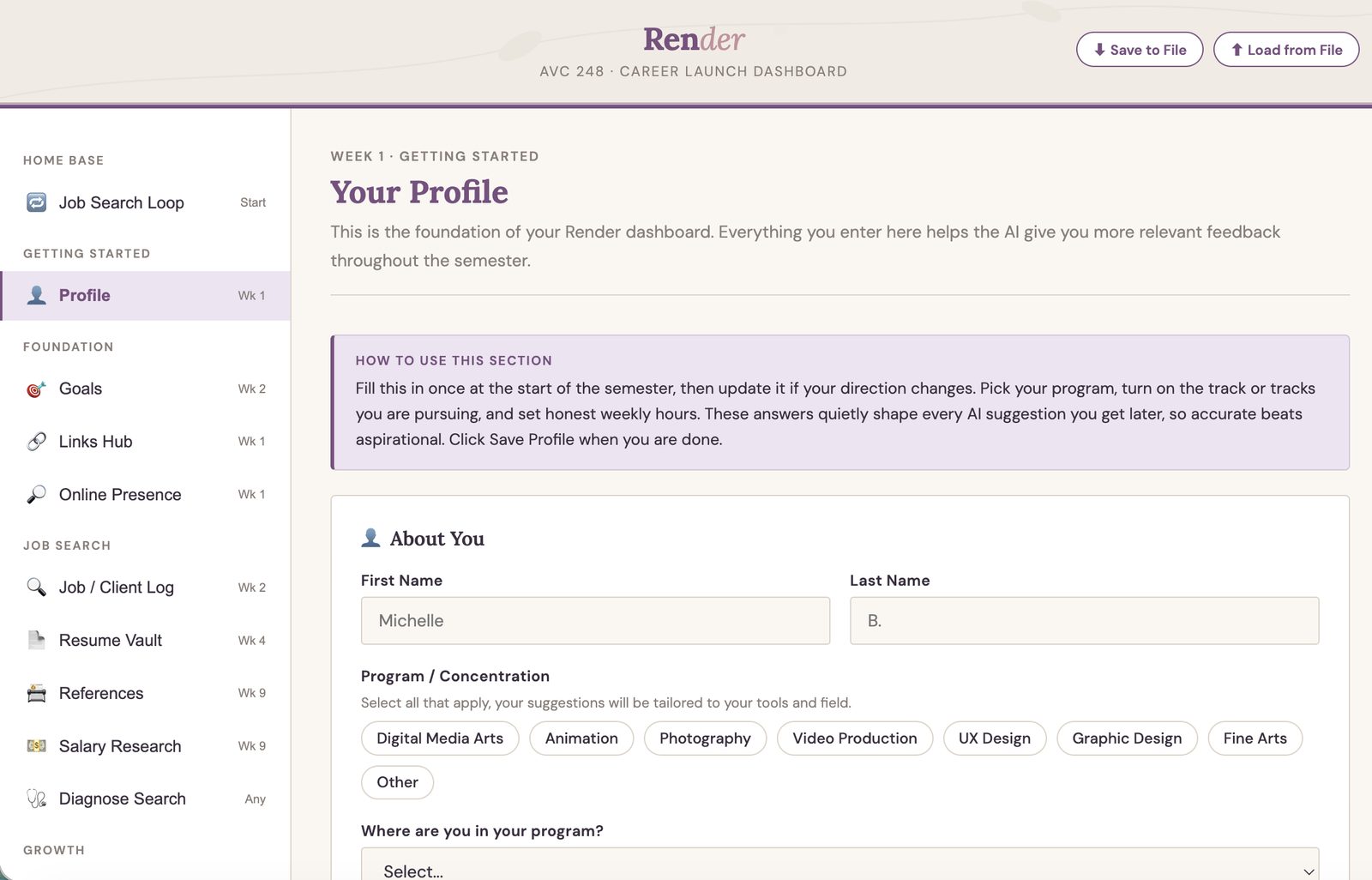
An AI career-launch environment for the AVC 248 capstone, in pilot. Students build it across the semester and graduate owning their agents, skills, and learning plan.
Goal
Career-readiness work usually disappears when Canvas access ends at graduation. Render is owned and portable, so students keep using and building it afterward. It answers the “now what?” moment at the point where students most often lose momentum, and hands them a launchpad they carry into the job search rather than leave behind.
Render is a personal learning environment, connectivism in practice: one place a student owns where goals, work, skills, and connections live together instead of scattered across a course that ends. Students set robust goals and pick one real reach job on day one, then build the environment across the AVC 248 capstone: profile, goals, job log, resume vault, skills, networking, and interview prep, every module anchored to that reach job.
Audience
Community college Digital Media Arts students finishing a creative program and stepping into the job or freelance market. They are early-career people who need structure, not a blank prompt, and somewhere to put the work they have already done. Render is built in partnership with campus Career Services, so the tool reinforces the same guidance a career advisor would give rather than competing with it.
Process
At the capstone, Render runs a gap analysis between what the student actually built and the requirements of their day-one reach job. From that it exports the student’s package: their agents and skills as prompt files, a job tracker, their tailored documents, and a personal learning plan aligned to the goals they set at the start. Render does not get replaced by the agents: Render builds the agents.
Inside the dashboard, students also build the four agents on the Agents tab by hand, and write a reflection on what they built and why they built it that way.
Technology
- A single-page front end: CSS and vanilla JavaScript, no framework.
- No API key and no AI service behind the tool. Render assembles the prompt, the student runs it in whichever free AI they already have (Gemini, ChatGPT, Claude, Copilot) and pastes the result back.
- Agents and skills: about twenty single-shot skills (resume tailoring, cover letter, gap analysis, interview questions, elevator pitch, LinkedIn, salary research, and more) plus the four agents, which belong to the student from the first week rather than at export.
- Storage: kept in the browser, with no account, no name and no personal information. Because browser storage can be cleared, the exported package is the durable copy and students export throughout the term rather than once at the end.
- Google Sheets and Apps Script for the anonymous Career Services data flow.
- Hosting: static GitHub Pages. No backend, and nothing that has to be approved before a student can open it.
Outcomes
Usability tested with students, now piloting in phases with capstone students, starting with resume alignment. The full tool follows once the district turns on Gemini for student accounts. Testing was with 4 students, and Render was refined from what it surfaced. Success is defined up front: whether students finish and keep their exported career agent and learning plan, whether they report still using it after the course ends, and whether Career Services receives the anonymous employer signal the tool is meant to route. Where a number is not in yet, the measure is named rather than guessed.
Running without district infrastructure improved the teaching: the previous design hid the agent behind a button, and this one puts the student in the position of running it.