Render
AI Tools · Case study
A screen-by-screen tour of what a student does in Render, from choosing one real job to exporting the dashboard they keep.
A personal learning environment for community college students. Students build it across a capstone course around one real reach job, then export their own agents, skills, and learning plan to keep using in their own AI tool after graduation.
Why this exists
Students in Digital Media Arts complete career readiness work across the semester, resumes, job research, networking plans, interview practice, but when Canvas access ends at graduation, all of that work disappears. Render gives students a single personal learning environment they build themselves and take with them, organized around six areas that map directly to course competencies.
The framing is connectivism in practice. Render is the student’s personal learning environment (PLE), a space they own where learning, goals, and connections live in one place rather than scattered across a course that ends. Each student’s work is saved in their own browser, no name is collected, and no personal information enters the AI. AI assistance is embedded into each workflow, not as a blank prompt, but as structured coaching tied to the student’s own goals and one real reach job.
And Render does not get replaced by a separate career agent at the end. Render builds the agent. The career agent and personal learning plan are Render’s capstone export, the final layer of the same environment the student has been growing all semester.
From day one to take-with-you
1 · Day one. Inside Render, the student sets robust goals, guided by the right questions, and picks one real reach job as their anchor. Everything that follows aligns to that anchor.
2 · All semester. Render runs alongside the whole AVC 248 capstone as the student’s launchpad, profile, goals, job log, resume vault, skills tracker, networking, and interview prep, every module aligned to that one reach job.
3 · Capstone. At the end of the course, Render analyzes the gap between what the student has actually built and what that reach job requires, then assembles their take-away package: their agents and skills as prompt files, a job tracker, their tailored documents, and a personal learning plan aligned to the goals they set on day one.
4 · Take-with-you. The student leaves with the whole package, exportable and owned, and runs their agents and skills in their own AI tool, such as Gemini, Claude, or ChatGPT, after graduation.
One environment, the PLE, with the agents, skills, and learning plan as the final export. The environment builds the things the student carries forward.
Latest feature · text preview, screenshots coming
Agents, skills, and the learning plan
From the capstone gap analysis, Render assembles their agents and skills as prompt files plus a personal learning plan (a study plan with modules, applied tasks, and a self-assessment checklist) aligned to the goals they set at the start.
Screenshots of this panel will be added after the pilot.
What students build
Step 1 · Weeks 1 to 3
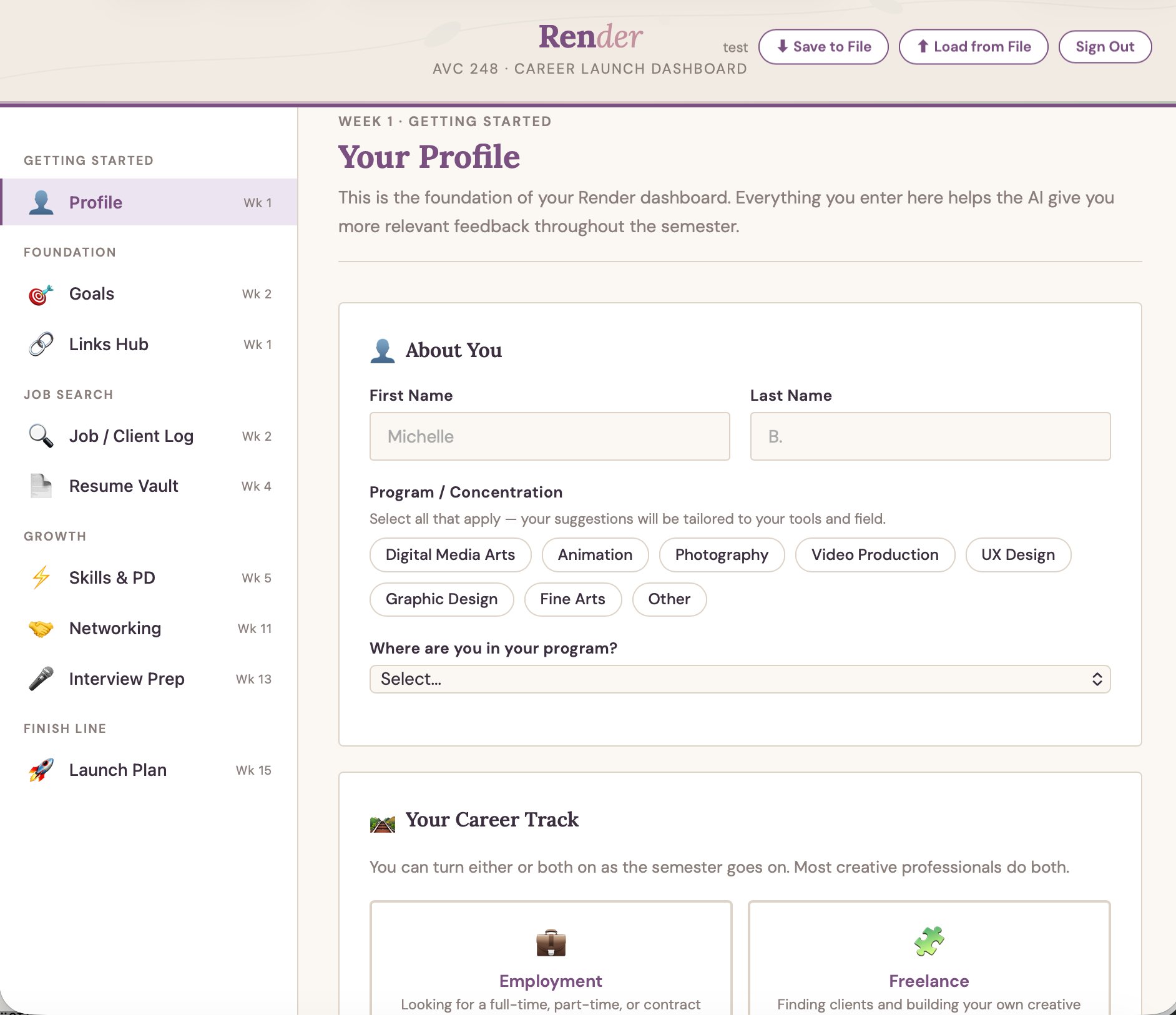
Profile, Goals & Job-Search Agent
Students define their dream job, creative identity, target market, and 3-year vision. From their goals and resume, Render builds them a job-search agent they run in their own Gemini: it scours widely and verifies each role is still live on the employer’s own site before it lands in their feed. Ready-to-paste search strings remain as a simple fallback.
Step 2 · Weeks 2 to 13
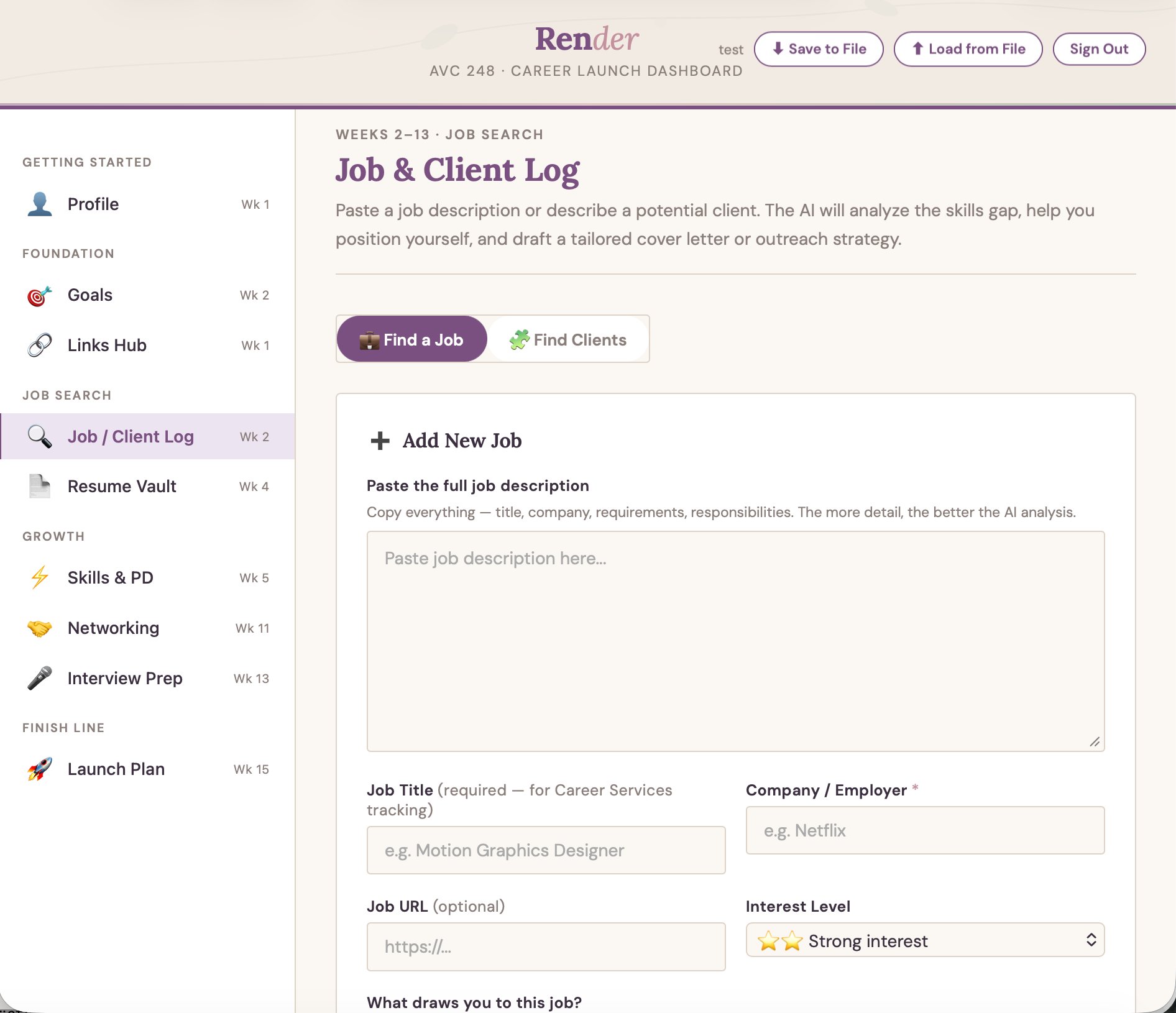
Job & Client Log
Students paste job descriptions and receive AI-driven skills gap analysis, tailored cover letters, and career positioning advice. A freelance track generates prospect lists and outreach strategies. Entries feed Career Services via an automated pipeline.
Step 3 · Weeks 4 to 9
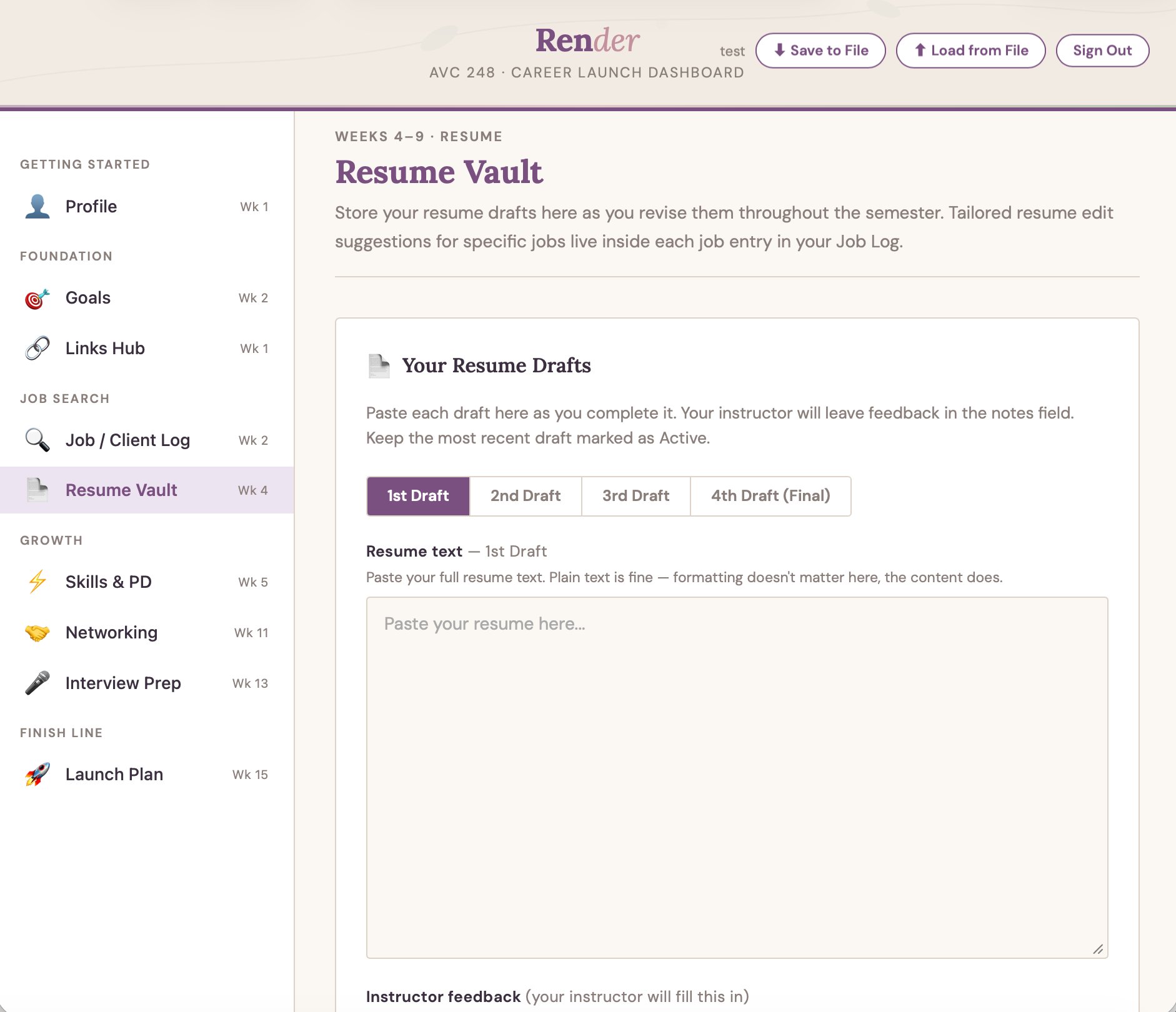
Resume Vault
Four-draft revision workflow with instructor feedback integration. AI generates targeted resume edit suggestions tied to each saved job’s specific requirements, not generic advice, but edits grounded in the actual posting.
Step 4 · Weeks 5 to 13
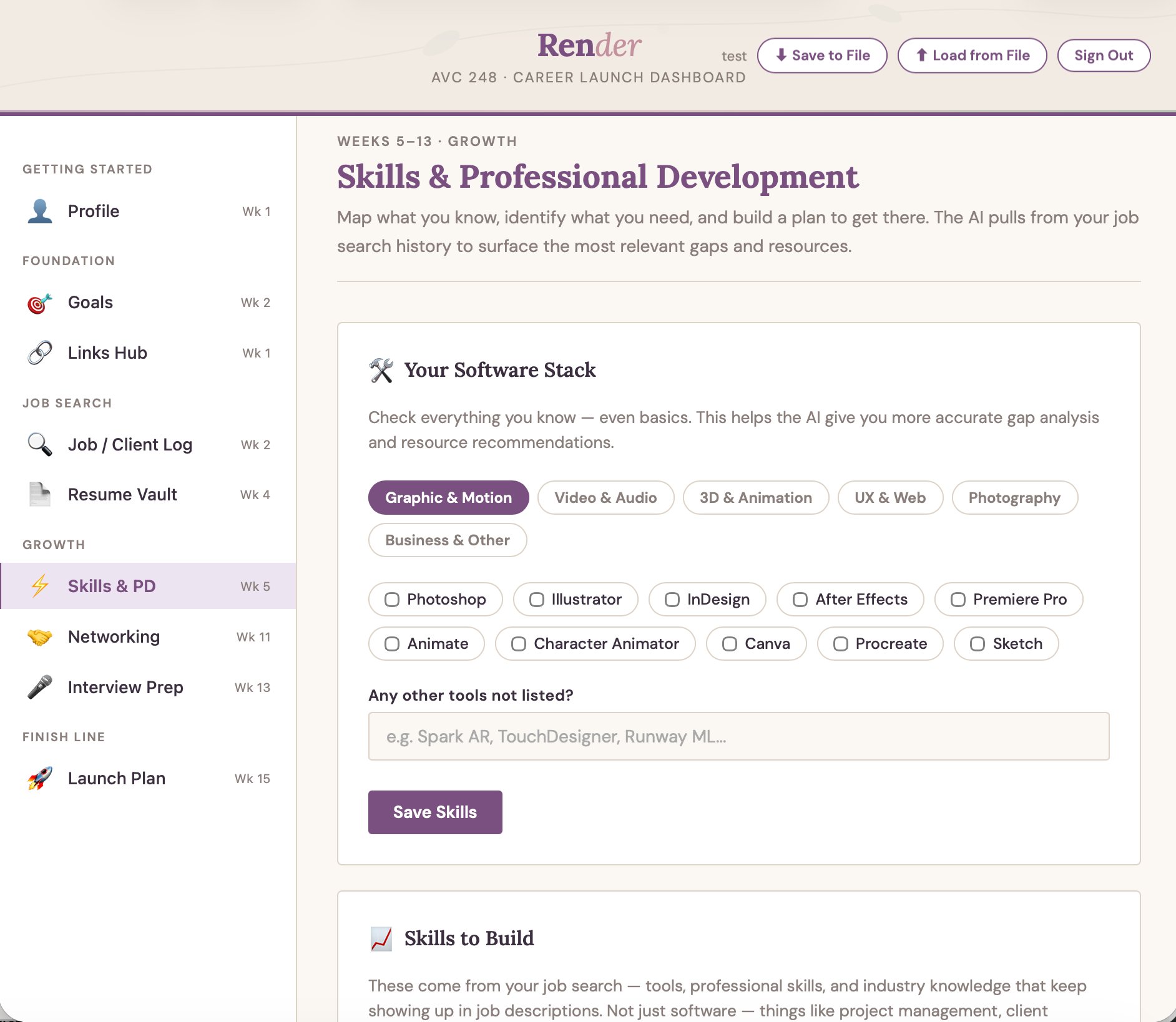
Skills & Professional Development
Software stack mapping across six categories (~60 tools), plus professional skills and industry knowledge surfaced from saved job postings, things like project management, creative briefs, production workflows, and client communication. AI gap analysis, named learning resources, portfolio project ideas, and a PD activity log that tracks growth throughout the semester.
Steps 5 to 6 · Weeks 11 to 13
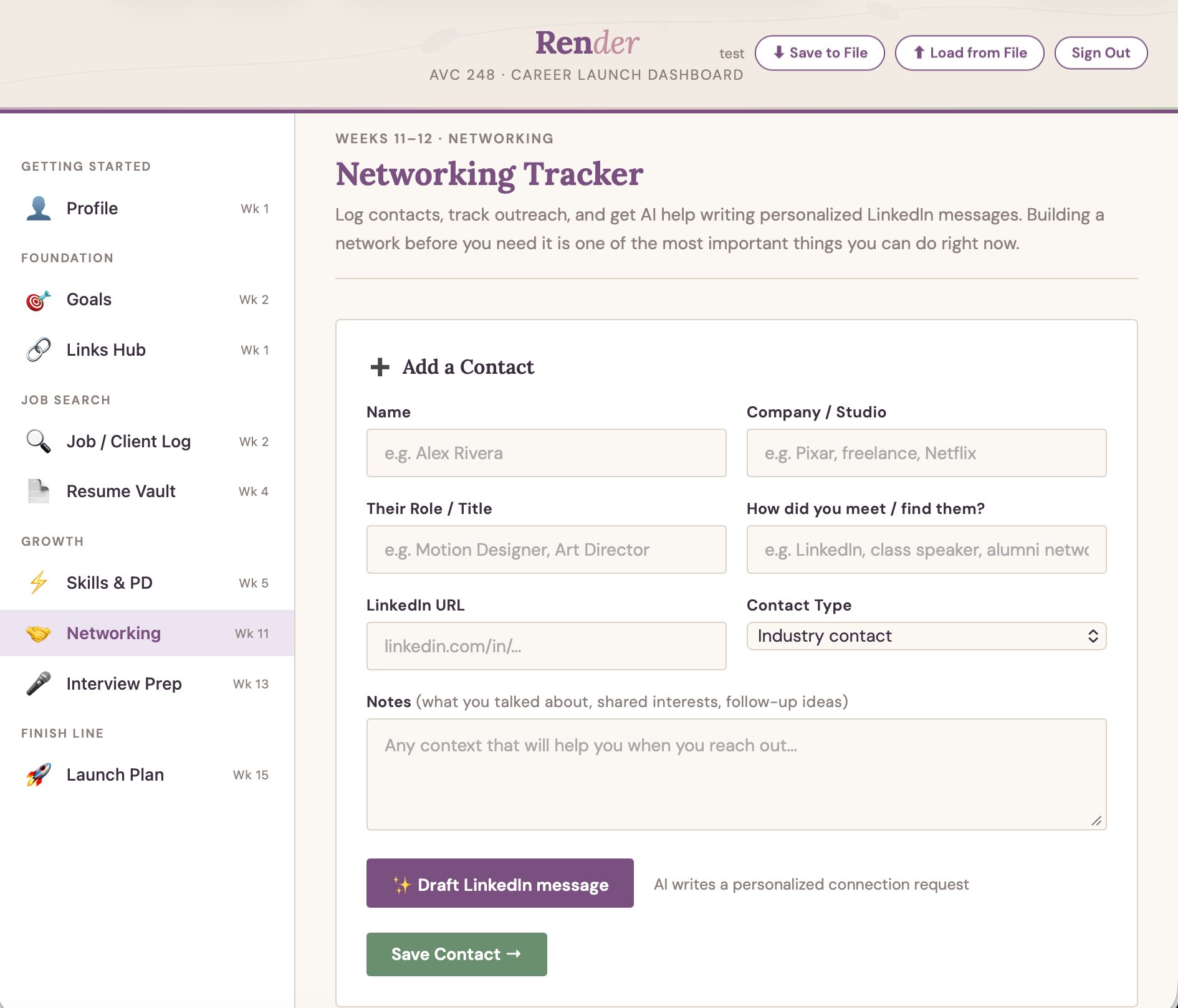
Networking & Interview Prep
Contact log with outreach tracking and AI-drafted LinkedIn messages personalized to each connection. Role-specific interview questions generated from saved job descriptions, answer practice with AI coaching feedback, and Big Interview integration.
Week 15 · Capstone export
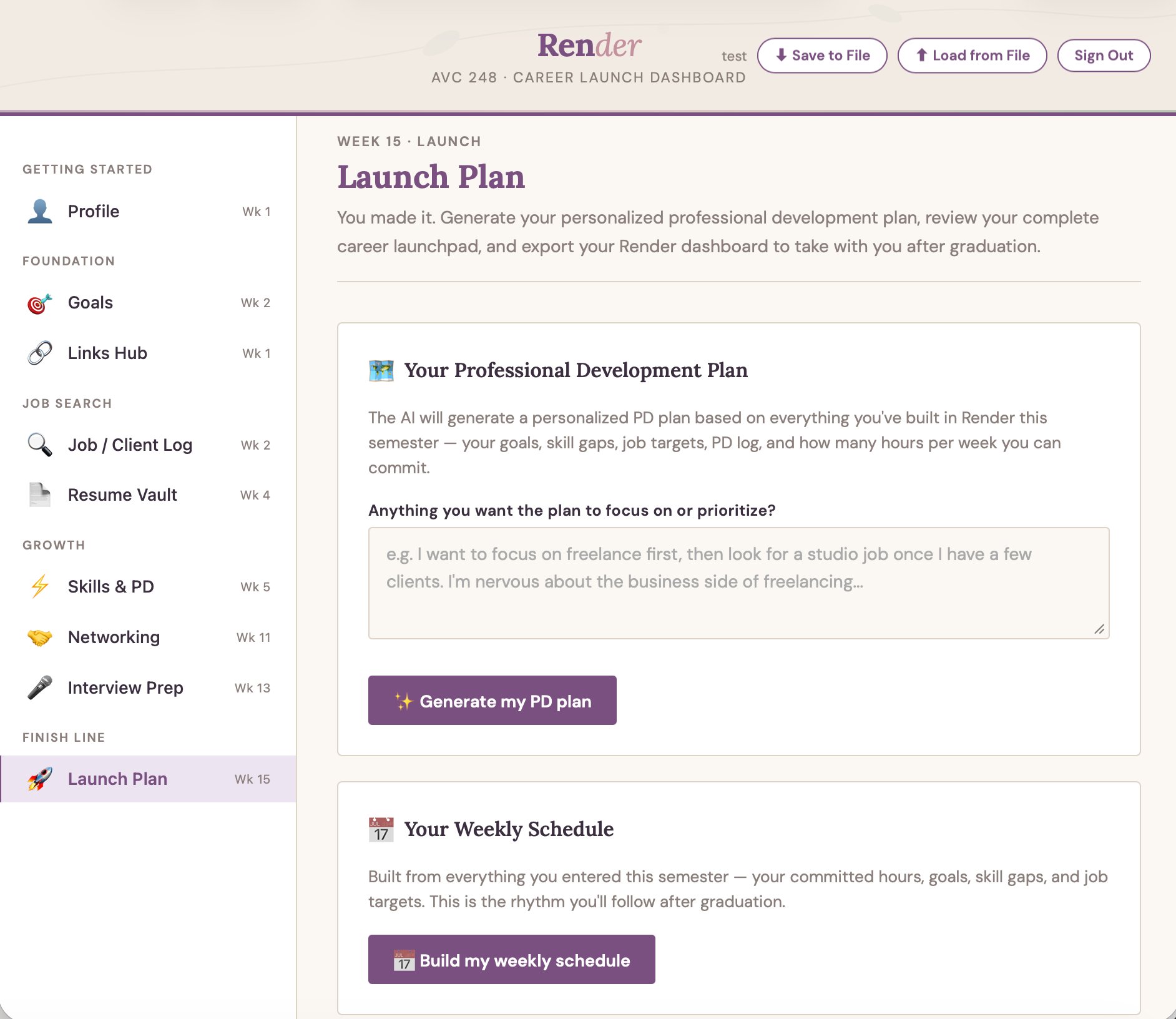
Launch Plan, Agents & Export
The capstone layer. Render analyzes the gap between what the student built and their day-one reach job, then assembles their take-away package: their agents and skills as prompt files, a job tracker, their tailored documents, a self-contained dashboard, and a 90-day plan and weekly schedule, all aligned to the goals they set at the start. The student downloads one zip they keep forever, no login, no Canvas dependency.
All six steps built and integrated into the AVC 248 course competencies. Usability tested with students, now piloting in phases with capstone students, starting with resume alignment. The full tool follows once the district turns on Gemini for student accounts.