Graphic Design
Courses and Programs · Case study
The first graphic design course. Students move from pushing type around to working inside a real brand and then authoring their own, through studio projects with critique between every step, a design history thread they teach to each other, and a portfolio they can show and defend.
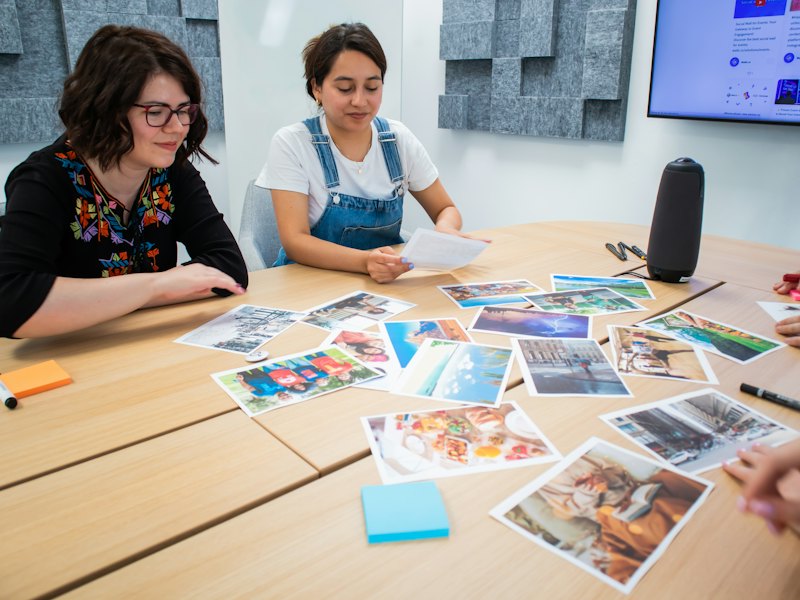
Goal
Move beginning designers from arranging type to authoring a brand system, and send them out with a portfolio they can show and defend. Two rules hold on every project: sketch by hand before the computer, and never stretch or distort type.
AI has a deliberately narrow role. Gemini supports research, writing and feedback, and the studio projects are designed without it, so foundational visual judgment is built by hand. Design History is the one stated exception: students write a requirements document and direct Gemini to build a period-accurate teaching piece from it, then verify every fact in library databases.
Audience
First-semester design students who have completed or are taking AVC 100, most of whom have never worked to a written specification. The course is a foundation for Graphic Design, Digital Media Arts and Animation students.
Process
Each project is built in numbered steps with Discord critique between steps, and hand sketching gates every computer phase. The sequence isolates one variable at a time: Word/Meaning restricts students to type, scale and placement; Recipe adds the grid and hierarchy one variable per step; Someone Else’s Brand teaches the discipline of working inside a client’s published rules; only then do students author their own brand and carry it into a website. Design History runs alongside as a team project built on peer teaching.
Deliverable options in development with the STEAMworks XR lab include a laser-cut or engraved logo mark, an AR layer on the Milwaukee poster, and drone photography as an image source.
The arc of the semester
| Weeks | Project | Signature work |
|---|---|---|
| 1 to 2 | Getting Started and AI Primer | A reflection on the documentary Helvetica, tied to the student’s own photograph; the AI Primer |
| 2 to 4 | Word/Meaning | Fifty handwritten verbs, twenty thumbnails per word, five vector designs that express meaning through placement and scale alone |
| 4 to 7 | Recipe: Grids and Hierarchy | A 12-column grid, unlocking weight, case, scale and finally an image in negative space, one step at a time |
| 7 to 9 | Someone Else’s Brand | Inside the City of Milwaukee’s published brand guidelines: a press-ready poster, an Instagram ad, welcome-kit mockups, and the brand loaded into Figma as styles |
| 7 to 15 | Design History | Teams research a period, verify AI claims in library databases, write a requirements document, build with Gemini, and record a presentation in the era’s visual language |
| 10 to 13 | Your Own Brand | A client and name, fifty sketches, a logo that works in black and white, a press-ready business card, a three-panel Instagram campaign |
| 13 to 15 | Figma Website and Portfolio | The student’s brand as Figma styles across a three-page website; a Google Sites portfolio with process and rationale for two projects |
Outcomes
Six competencies from the district’s revised course outline, each mapped to module objectives written with the revised Bloom’s taxonomy. A student can:
- Describe the graphic design process, including history, research, concept development, and production.
- Apply elements and principles of design, including composition, grids, hierarchy, typography, and color.
- Use digital design and page-layout software for document setup, text formatting, image placement, and layout.
- Develop design concepts through research, sketches, and preliminary layouts.
- Produce a multipage layout incorporating typography, imagery, and appropriate layout techniques.
- Evaluate graphic design projects according to design principles, accessibility, technical quality, and communication effectiveness.
Pacing and interaction
Eight modules sized to their projects, about eight hours a week. Two noon deadlines a week; project steps are posted to Discord the day before, and each critique comment names a design principle (or, on the Milwaukee project, a brand rule) and where it appears. Process work is graded within three days, before the next step builds on it.
AI in This Course
Students use Gemini only with their Maricopa (Google Workspace for Education) account, under which their data is not reviewed by people, not used to train models and not used for ads. Gemini Notebook, built from the student’s own sources, is used in place of Gems. Gemini writes and gives feedback; on every studio project it never designs, and no AI-generated image appears in design work.
| Tool and feature | What students do with it | Where in the course | What it is not allowed to do |
|---|---|---|---|
| Gemini app | Ask a career question, mark up the answer as a critic, and revise the prompt with role, task, context and format | Module 0, AI Primer | Supply the mark-up, the student’s own detail or the reflection |
| Gemini or Gemini Notebook, research | Generate an overview of a design-history period, then verify five claims against GCC Library databases | Design History: Research and Verification Log | Stand as a source; every claim kept is verified |
| Gemini Canvas, or slides from Gemini Notebook output | Build a teaching piece in the period’s visual language from the team’s requirements document | Design History: Requirements and Build | Generate historical artwork (it is always real and sourced); proceed without the requirements document; use a default template |
| Gemini app, writing support (optional) | Extend a handwritten word list after the first 30 words; edit recipe text; give feedback on rationales; draft campaign messages and page copy | Your Brand Steps 1, 4 and 7; Recipe; Figma website; portfolio rationales | Choose the name, design the mark, panels or pages, or write the evaluation |
How AI Supports Learning Here
- Specification before generation. In Design History, the requirements document (audience, categories and order, the era’s typefaces, colors and layout conventions with a real example of each, and sourced images) is the graded thinking. A presentation that reads as its decade cannot be produced without first internalizing the period’s visual conventions.
- AI as an unreliable research assistant. Students verify five AI claims against library records and write a short reflection naming a real error, so source evaluation and AI literacy are assessed together.
- Correcting the model. The build rationale names what the student changed when Gemini got the period wrong, making critical evaluation of AI output explicit.
- Peer teaching. Each team becomes the class authority on one period and teaches it back in a recorded presentation, using the protégé effect to deepen learning.
- Critique and revise. The AI Primer in Module 0 has students mark up a Gemini answer as a critic, revise the prompt with role, task, context and format, and reflect on where AI helps their work and where it does not.
- AI-use log. One Google Sheet all term (date, tool, what was asked, what was kept or changed), submitted with every assignment; “No AI used” is a complete entry and the expected one on most studio steps.
Guardrails
- Account and data. Maricopa account only, under the district’s Gemini for Education terms; no personal information enters any AI tool. The instructor never places student work in a public AI tool.
- Never AI-made. Every mark, layout and visual decision on the studio projects is the student’s. AI-made design work outside the Design History exception, or undisclosed AI use, is academic misconduct.
- Real history. Historical artwork in Design History is always real and sourced from open collections, never generated.
- Students under 18. No assignment requires a feature restricted on those accounts; if Gemini refuses a step, the student receives an alternate step that meets the same objective.
What Students Build
Design History teams build an AI-made teaching piece from their own requirements document: a presentation or interactive piece in Gemini Canvas, or slides assembled from Gemini Notebook output, in the visual language of their period and with real, sourced artwork. The Design History tab shows the project and a student example.
How to Adapt This
- Grade the requirements document. Have students write the specification before they open the model, and weight it above the generated output.
- Pair every AI research task with a verification log. Five claims checked against library records, plus one named error, transfers to any discipline.
- Draw a clear line. State which projects allow AI to design and which do not, and require “No AI used” as a logged entry where it does not.
Technology
- Canvas: modules, rubrics and grades, and Canvas Groups for Design History teams.
- Adobe Illustrator: vector type designs, marks and lockups.
- Adobe InDesign: the Recipe grid, the press-ready poster and the business card.
- Adobe Photoshop: image preparation and welcome-kit mockups.
- Figma: the Milwaukee brand and the student’s own brand as color and text styles; wireframes and the three-page website.
- Miro: each Discord post and its three critique comments compiled for submission.
- Google Docs and Sheets: Design History research notes and the AI-use log.
- GCC Library databases and Kanopy: verifying claims, and viewing Helvetica.
- Wikimedia Commons, the RISD Picture Collection, The Met Open Access and Library of Congress Free to Use: sourced historical artwork.
- OBS Studio and YouTube (unlisted): recorded explanations and the Design History presentation.
- WebAIM Contrast Checker: palette and website contrast.
- Google Sites: the portfolio site, Restricted by default (only invited people can see it) and public when the student chooses. A student who already has a Behance portfolio may use it instead.
- Discord: the course channel on the Digital Media Arts server for questions and critique, with a Canvas discussion as the alternative.
How the Course Was Tested
Before launch, the course went through synthetic student walk-throughs, a quality-rubric review, and an alignment and AI-exposure audit. No real students were involved in testing. Every course in the program goes through the same build and review method.
Synthetic Student Walk-Throughs
The testers are synthetic students: AI agents, each built from one persona in the Student Journey Barriers Study. Each agent worked through the course module by module as that student and logged every point where it got stuck or could not finish. A fixer pass applied the findings, and a second round re-ran all eight agents against the revised course.
| Persona | Tested for | How the course addresses it |
|---|---|---|
| Phone-only student | Whether each step can be completed on a phone | States that Creative Cloud work requires a computer, uses the phone to photograph sketches, and points to laptop and hotspot loans |
| Screen reader or low vision | Evidence formats and recorder access | An approved alternate recorder, alt text on every Discord image, images posted as PNG or JPG rather than PDF |
| Rural, limited data | Bandwidth and large files | Hotspot loans and asynchronous delivery |
| Student with ADHD | Clarity, chunking, competing deadlines | Projects broken into numbered steps, identical module order, one deadline in Week 1 |
| Online working parent | Time and schedule flexibility | Asynchronous design, office hours on Discord, a 24-hour late window |
| Student under 18 | Restricted Gemini features | No assignment requires a restricted feature; alternate steps meet the same objective |
| Spanish-dominant student | Reading load and vocabulary | An open alternative listed for every reading, and tutoring for rationales and reflections |
| Student with dyslexia | Text-heavy evidence | Short written tasks with word limits, recorded explanations, and visual evidence such as photographs and sketches |
Quality and Alignment Reviews
The course was reviewed against the SUNY OSCQR online course quality rubric, and every objective was audited against the revised Bloom’s taxonomy (Anderson and Krathwohl, 2001) so that each sits at or below its parent competency and is measured by a graded assignment.
Every Assessment Checked for AI Resistance
Every graded assessment was audited for AI exposure with Oregon State University Ecampus’s Bloom’s Taxonomy Revisited, asking whether a student could hand the task to an AI and pass. The graded evidence is work only the student can produce: hand sketches, the student’s own photographs, construction files, recordings and verification logs, with peer critique on Discord and the AI-use log on every step.
| Assessment | What makes it hard to outsource |
|---|---|
| Helvetica Reflection | A photograph the student took of a typeface in their own surroundings, tied to a specific argument in the film |
| AI Primer | A critic’s mark-up of Gemini’s answer and a revised prompt built on the student’s own career goal |
| Word/Meaning and Your Brand sketch steps | Handwritten verb lists, twenty thumbnails per word, fifty logo sketches, photographed |
| Milwaukee project | Five brand rules the poster follows, each cited with its page number in the guidelines |
| Design History | A verification log against library records; a rationale naming corrections to Gemini’s output; a recorded presentation that explains rather than reads |
| Portfolio Site | Process work from the student’s own steps and a rationale evaluating each project |
Accessibility
Designed with Universal Design for Learning to WCAG 2.1 AA, with captioned instructor video, accessible color in every palette, and hand sketching on paper so no student needs a drawing tablet. Student work carries hand-corrected captions, corrected transcripts, alt text and tagged PDFs, worth about 10 percent of each media rubric, and every palette is checked with the WebAIM Contrast Checker.
Status
Designed and fully built: eight modules, four studio projects in numbered steps, the Design History team project, a Google Sites portfolio, and a Canvas import package. Taught every spring and fall.
Course materials are shared under CC BY-NC-SA 4.0: faculty may adapt them with credit, for noncommercial use, under the same license.